
-
Hi all and welcome to TheWoodHaven2 brought into the 21st Century, kicking and screaming! We all have Alasdair to thank for the vast bulk of the heavy lifting to get us here, no more so than me because he's taken away a huge burden of responsibility from my shoulders and brought us to this new shiny home, with all your previous content (hopefully) still intact! Please peruse and feed back. There is still plenty to do, like changing the colour scheme, adding the banner graphic, tweaking the odd setting here and there so I have added a new thread in the 'Technical Issues, Bugs and Feature Requests' forum for you to add any issues you find, any missing settings or just anything you'd like to see added/removed from the feature set that Xenforo offers. We will get to everything over the coming weeks so please be patient, but add anything at all to the thread I mention above and we promise to get to them over the next few days/weeks/months. In the meantime, please enjoy!
You are using an out of date browser. It may not display this or other websites correctly.
You should upgrade or use an alternative browser.
You should upgrade or use an alternative browser.
Different 'views'
- Thread starter Stuart
- Start date


What you have done there Stuart is switched on Reader View. I’m not sure how you can do that accidentally at the moment.
If a page is available in reader view an little icon appears to the left of the Bookmark star at the far right of the url box. You can also Toggle in an out of reader view using alt cmd R.
If a page is available in reader view an little icon appears to the left of the Bookmark star at the far right of the url box. You can also Toggle in an out of reader view using alt cmd R.

AJB Temple
Sequoia
- Joined
- Apr 15, 2019
- Messages
- 7,747
- Reaction score
- 1,223
It looks like in the second one you have the text only option in use in your browser. This strips out a lot of material and usually is set to deliver large size text for ease of reading.
Check your view options and whether you have something like Reading List off or on.
Presumably you are using Safari? Anyway, I am less familiar with it these days as I switched to Brave and Vivaldi. Brave is a great deal more secure and private.
Edit. Crossed with Andy, who should be drilling holes in planks.
Check your view options and whether you have something like Reading List off or on.
Presumably you are using Safari? Anyway, I am less familiar with it these days as I switched to Brave and Vivaldi. Brave is a great deal more secure and private.
Edit. Crossed with Andy, who should be drilling holes in planks.
Thanks Andy. There's certainly no switching going on on my part! This is happening simply by me clicking on a post or preview so heaven knows what's happening!Andyp":1d6ogw8d said:What you have done there Stuart is switched on Reader View. I’m not sure how you can do that accidentally at the moment.
If a page is available in reader view an little icon appears to the left of the Bookmark star at the far right of the url box. You can also Toggle in an out of reader view using alt cmd R.
Frustratingly I just posted in another thread and got the reader view when previewing this thread it's 'normal'!
AJB Temple":niucutns said:It looks like in the second one you have the text only option in use in your browser.
It’s not Text only, but as I mentioned earlier, content only. Here’s a website in reader view.
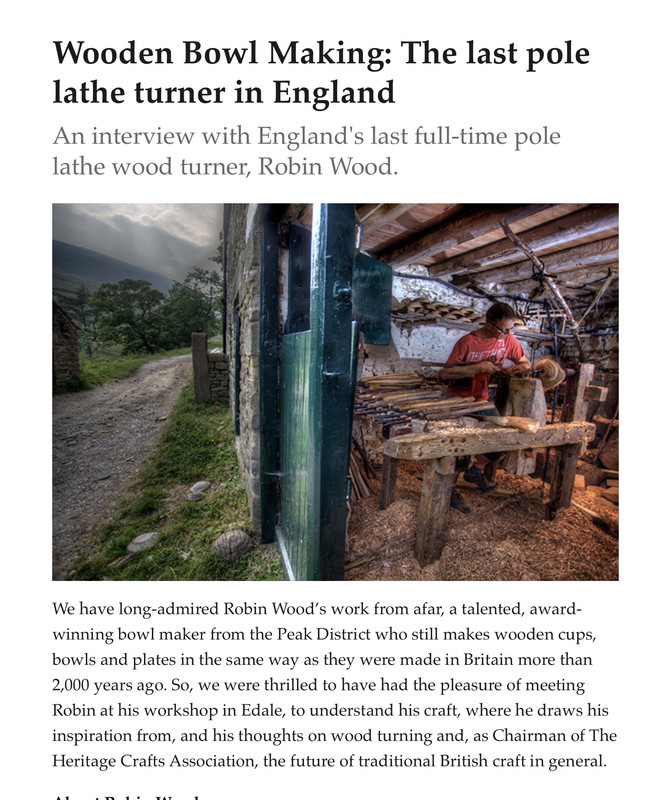
Stuart, can you confirm which browser you are using? I suspect as Adrian pointed out you have a text or reader option set somewhere. I am not at my iMac at the mo so will check later.
AJB Temple":2j5qehgr said:Edit. Crossed with Andy, who should be drilling holes in planks.
Oi! I heard that.
Safari on both mac and iPad it although doesn’t happen on the pad.Andyp":1uxjyx3c said:Stuart, can you confirm which browser you are using? I suspect as Adrian pointed out you have a text or reader option set somewhere. I am not at my iMac at the mo so will check later.
If it’s a set option why is it so intermittent?
Stuart,
if you do a right mouse click while hovering over the URl does this option appear?
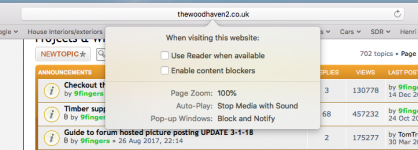
Is the first option checked? If so uncheck. and clear cache & history.
if you do a right mouse click while hovering over the URl does this option appear?
Is the first option checked? If so uncheck. and clear cache & history.
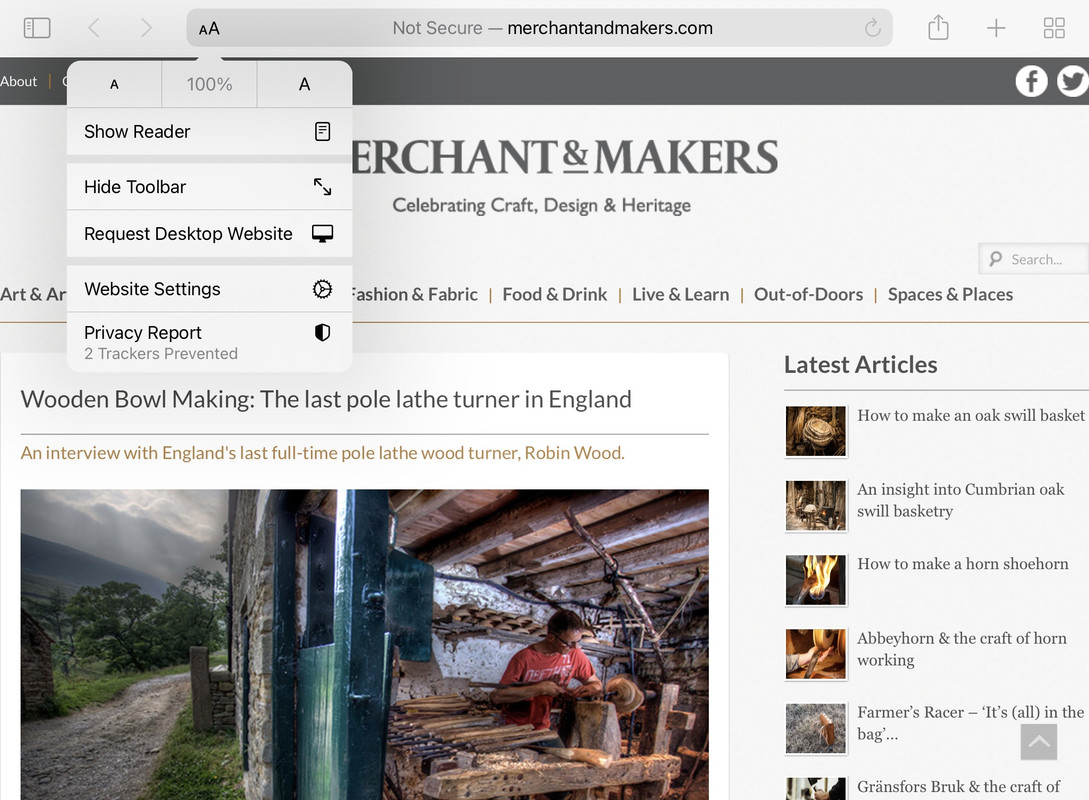
Yes it was Andy.Andyp":2bnpz2vk said:Stuart,
if you do a right mouse click while hovering over the URl does this option appear?
Is the first option checked? If so uncheck. and clear cache & history.
Hopefully that'll sort it.
Many thanks.