• Hi all and welcome to TheWoodHaven2 brought into the 21st Century, kicking and screaming! We all have Alasdair to thank for the vast bulk of the heavy lifting to get us here, no more so than me because he's taken away a huge burden of responsibility from my shoulders and brought us to this new shiny home, with all your previous content (hopefully) still intact! Please peruse and feed back. There is still plenty to do, like changing the colour scheme, adding the banner graphic, tweaking the odd setting here and there so I have added a new thread in the 'Technical Issues, Bugs and Feature Requests' forum for you to add any issues you find, any missing settings or just anything you'd like to see added/removed from the feature set that Xenforo offers. We will get to everything over the coming weeks so please be patient, but add anything at all to the thread I mention above and we promise to get to them over the next few days/weeks/months. In the meantime, please enjoy!

Image cropping in PMs

AndyP

Moderator
Staff member
Joined
Jul 22, 2014
Messages
14,201
Reaction score
1,748
Location
14860 Normandy, France
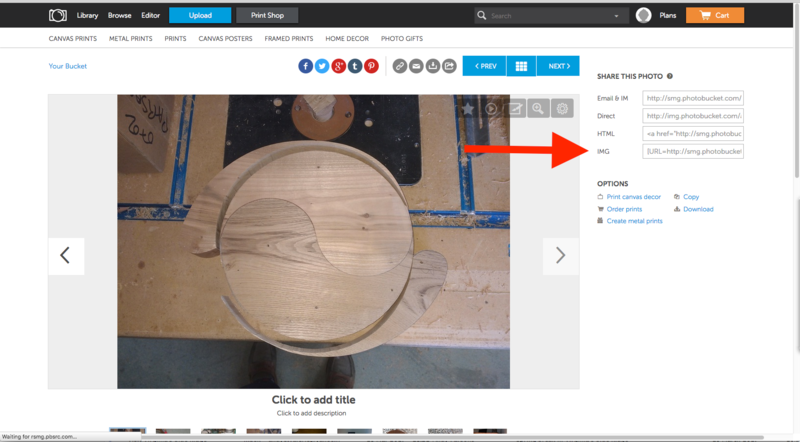
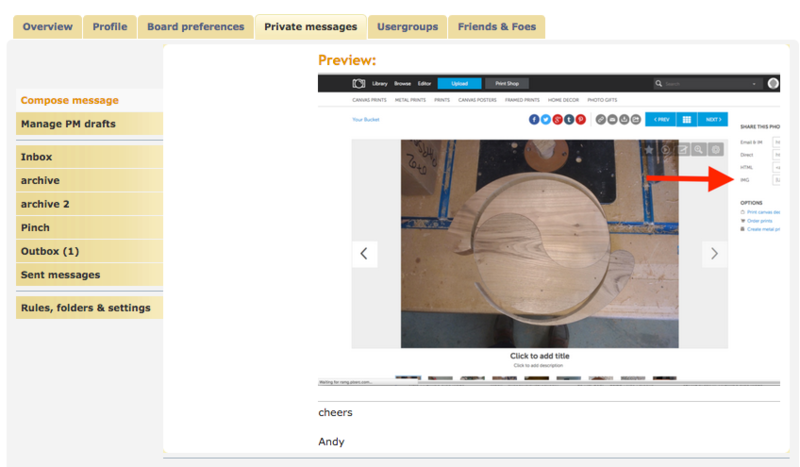
Mark, I have just noticed that when an image is included in a PM the far right side is not visible.

For example this image


Looks like this on a PM


Do yo think that there maybe a quick tweek to solve this?
 
That's going to be a page boundary thing. Let me have a look, can't say how easy or possible it is off the top of my head but I'll have a look.

Cheers
Mark.


Sent from my iPhone using Tapatalk Pro
 
9fingers":2zt39gf4 said:
Andy, Are you saying that images in PMs are treated differently from those in normal posts like this one?

If not then by posting your first image above have you not fixed the problem?

Not fully understanding
Bob

Bob, yes images in PMs are being treated differently.

I don't understand your next question. The first image is a screen grab of my photobucket page and placed in a forum post. The second image is a screen grab of a PM with the same image inserted.

What Mark says about page boundaries makes sense.
 
Andyp":1pwx4ytg said:
9fingers":1pwx4ytg said:
Andy, Are you saying that images in PMs are treated differently from those in normal posts like this one?

If not then by posting your first image above have you not fixed the problem?

Not fully understanding
Bob

Bob, yes images in PMs are being treated differently.

I don't understand your next question. The first image is a screen grab of my photobucket page and placed in a forum post. The second image is a screen grab of a PM with the same image inserted.

What Mark says about page boundaries makes sense.

Ah ! now I realise you are talking of different treatment between PM and public posting then my supplementary Q is not relevant.

Cheers
Bob
 
Back
Top