
-
Hi all and welcome to TheWoodHaven2 brought into the 21st Century, kicking and screaming! We all have Alasdair to thank for the vast bulk of the heavy lifting to get us here, no more so than me because he's taken away a huge burden of responsibility from my shoulders and brought us to this new shiny home, with all your previous content (hopefully) still intact! Please peruse and feed back. There is still plenty to do, like changing the colour scheme, adding the banner graphic, tweaking the odd setting here and there so I have added a new thread in the 'Technical Issues, Bugs and Feature Requests' forum for you to add any issues you find, any missing settings or just anything you'd like to see added/removed from the feature set that Xenforo offers. We will get to everything over the coming weeks so please be patient, but add anything at all to the thread I mention above and we promise to get to them over the next few days/weeks/months. In the meantime, please enjoy!
You are using an out of date browser. It may not display this or other websites correctly.
You should upgrade or use an alternative browser.
You should upgrade or use an alternative browser.
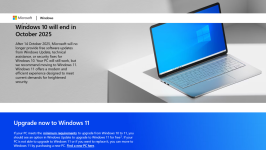
End of support for Windows 10
- Thread starter Mike G
- Start date
Mr P
New Shoots
I don't know how smooth the transition will be, but I've heard stories about W11 messing up with old programs, and having to find either newer versions or alternatives. So I for one will be sticking with W10.
Raymedullary
Sapling
- Joined
- Jan 20, 2020
- Messages
- 330
- Reaction score
- 93
I wonder what "support" actually amounts to sometimes. I have 10 on a laptop but my desktop still runs win7 very nicely, I cannot change it because there would be no available drivers for my photo printer in later versions of windows and the machine would not run it anyway without an upgrade.
My Win7 still updates itself though?
My Win7 still updates itself though?

Lons
Old Oak
My laptop is Win 10 Mike and I won't be upgrading, (I'd question the word upgrade in any case) and I've been declining the upgrade ever since it was introduced. All these "support" updates are just bug fixes anyway and a little more compatibility with mobile pads and smart phones which I don't believe you use much anyway.
Windows 10 does all I need and I'm not concerned that they remove support and issue thinly veiled scare threats, I have an old desktop system still running Windows 7 and it works just fine thank you Microsoft.
Just my personal opinion. I disable automatic updates and install them only when I can be reasonably sure they're safe and stable.
Windows 10 does all I need and I'm not concerned that they remove support and issue thinly veiled scare threats, I have an old desktop system still running Windows 7 and it works just fine thank you Microsoft.
Just my personal opinion. I disable automatic updates and install them only when I can be reasonably sure they're safe and stable.

Apple are no different. My attitude towards these upgrades/no longer supported issues is that I will not upgrade the OS system until I have software that will no longer run. This, alas was the case last year when I had to upgrade (replace actually) my late 2009 imac . 16 years from the hardware seemed reasonable to me. I could no longer upgrade the OS as the chipset could not handle it.
Imagine the effect on profits if these companies sold a computer that lasted a lifetime?
Imagine the effect on profits if these companies sold a computer that lasted a lifetime?

HdV
New Shoots
Functionality-wise not upgrading won't hurt you. Must "improvements" of 11 over 10 as so-so anyway. And with all the frivolous changes in the user-interface you might not even like how 11 works.
However, security-wise not upgrading might be a very bad idea. One of the most important aspects of MS no longer supporting a specific version of their OS lies in the fact that they won't issue fixes for security problems anymore. Only if there will be a very very serious security problem will they be providing a patch for it.
To what extent that will impact the security/trustworthiness of you system and the data on it will depend very much on how you use that system. If it is accessible from the internet that will mean non-patched security problems can (and in many cases will) be exploited. On the other hand, if you only visit known safe websites and read some e-mail, your risks might be somewhat lesser. It will also depend on any other measures you have in place. Think of things like using a firewall or intrusion detection tool, anti-virus/malware filters, etc.
It is your choice, but if you don't update, then I recommend you think very careful about what you will do with your data. Make sure you still have a safe and non-compromised copy available at all times. Most importantly, make sure that copy is off-line, i.e. make sure your backup is not connected to your system (directly or over the network, and that includes the Cloud). Having a secure backup of your data available would be a good idea anyway, regardless of whether you update or not.
However, security-wise not upgrading might be a very bad idea. One of the most important aspects of MS no longer supporting a specific version of their OS lies in the fact that they won't issue fixes for security problems anymore. Only if there will be a very very serious security problem will they be providing a patch for it.
To what extent that will impact the security/trustworthiness of you system and the data on it will depend very much on how you use that system. If it is accessible from the internet that will mean non-patched security problems can (and in many cases will) be exploited. On the other hand, if you only visit known safe websites and read some e-mail, your risks might be somewhat lesser. It will also depend on any other measures you have in place. Think of things like using a firewall or intrusion detection tool, anti-virus/malware filters, etc.
It is your choice, but if you don't update, then I recommend you think very careful about what you will do with your data. Make sure you still have a safe and non-compromised copy available at all times. Most importantly, make sure that copy is off-line, i.e. make sure your backup is not connected to your system (directly or over the network, and that includes the Cloud). Having a secure backup of your data available would be a good idea anyway, regardless of whether you update or not.

Dr.Al
Old Oak
The risk with these things is security updates. If Microsoft decide to stop doing security updates then eventually vulnerabilities in Windows 10 will be discovered, Microsoft will decline to do anything about them and "malicious actors" will start probing network-connected computers to try to hack into them. Of course you'll get some protection from that with things like anti-virus, anti-malware and firewall software/hardware.
I remember reading quite a few years ago that if you got a new PC, installed a fresh install of Windows XP, connected it to the internet and told it to install updates to get the latest security fixes, it would be hacked into and taken over by a "bot" long before the security updates were installed. As soon as a machine is connected to the internet, it's potentially vulnerable.
I remember reading quite a few years ago that if you got a new PC, installed a fresh install of Windows XP, connected it to the internet and told it to install updates to get the latest security fixes, it would be hacked into and taken over by a "bot" long before the security updates were installed. As soon as a machine is connected to the internet, it's potentially vulnerable.

thetyreman
Nordic Pine
with apple though the OS is free, you can upgrade it using open core legacy patcher, eventually though all computers become obsolete, I switched to a mac late last year and prefer it in every way, it's an older mac pro 6,1 more than good enough for my needs, I will likely never go back to windows now, I'm a converted fanboy for life.
HdV
New Shoots
@Dr.Al : yeah, I remember those times very well. There was a time when the average time before compromise of a newly installed Windows system was 17 minutes from the moment it activated its network connection. That was shorter than the time it would take Windows to finish its installation, let alone to install any updates released after the release of the installation media.
Dr.Al
Old Oak
with apple though the OS is free, you can upgrade it using open core legacy patcher, eventually though all computers become obsolete, I switched to a mac late last year and prefer it in every way, it's an older mac pro 6,1 more than good enough for my needs, I will likely never go back to windows now, I'm a converted fanboy for life.
I like the idea of a Mac, especially since it's got a decent terminal (from its BSD roots) - I still do a lot at the command prompt (mostly with cygwin or SSH to a Linux machine now) - Windows annoys me a heck of a lot.
However I can say with some confidence that I'll never move from Windows to Mac OS X (or Linux desktop) for the simple reason of software availability. Many of the tools I use are available (in some cases requiring me to buy them again in a different form) for Mac OS X but there will always be some (Solidworks 3D CAD being the first that springs to mind, but there are definitely others) that are Windows-only.
There might be Mac alternatives (for 3D CAD, Onshape would be my first choice, Fusion a distant second, FreeCAD third), but I'd have to accept using a significantly worse tool just because of the choice of operating system. I've also got lots of files saved from tools that are Windows only, so ditching Windows means accepting I'll never open them again.

Pete Maddex
Old Oak
If you rely on your computer for work then up date to win11 of buy a new machine, home just surfing the web then you chould be o/k but if you do onlien banking I would upgrade, but you still have some time before support ends.
Pete
Pete
MS completely stopped writing security patches and updates for Win7 in 2020, so yours isn't updating with anything, or at least not anything new.I wonder what "support" actually amounts to sometimes. I have 10 on a laptop but my desktop still runs win7 very nicely, I cannot change it because there would be no available drivers for my photo printer in later versions of windows and the machine would not run it anyway without an upgrade.
My Win7 still updates itself though?
There are security patches too, which are the really important ones, patching against viruses, malware etc.My laptop is Win 10 Mike and I won't be upgrading, (I'd question the word upgrade in any case) and I've been declining the upgrade ever since it was introduced. All these "support" updates are just bug fixes anyway and a little more compatibility with mobile pads and smart phones which I don't believe you use much anyway.
Windows 10 does all I need and I'm not concerned that they remove support and issue thinly veiled scare threats, I have an old desktop system still running Windows 7 and it works just fine thank you Microsoft.
Just my personal opinion. I disable automatic updates and install them only when I can be reasonably sure they're safe and stable.
I tested this theory about 15 years ago and it's true. Brand new install, connected to the internet to update, outside of the FW. Within 24h it was absolutely pox ridden and unusable.I remember reading quite a few years ago that if you got a new PC, installed a fresh install of Windows XP, connected it to the internet and told it to install updates to get the latest security fixes, it would be hacked into and taken over by a "bot" long before the security updates were installed. As soon as a machine is connected to the internet, it's potentially vulnerable.
Eric the Viking
Nordic Pine
- Joined
- Dec 10, 2020
- Messages
- 897
- Reaction score
- 351
It annoyed me a lot too much, so about 20 years ago I dumped it for Linux.I like the idea of a Mac, especially since it's got a decent terminal (from its BSD roots) - I still do a lot at the command prompt (mostly with cygwin or SSH to a Linux machine now) - Windows annoys me a heck of a lot.
Compatibility isn't as bad as you might think. I run several quirky packages under Wine to good effect, and the last resort is Windows in a VM.However I can say with some confidence that I'll never move from Windows to Mac OS X (or Linux desktop) for the simple reason of software availability. Many of the tools I use are available (in some cases requiring me to buy them again in a different form) for Mac OS X but there will always be some (Solidworks 3D CAD being the first that springs to mind, but there are definitely others) that are Windows-only.
I'm moving from xubuntu to Mint, as it seems more compatible.
When I say "quirky" I mean things like SketchUp and some packages for rendering panoramic images, such as Pano2VR from Garden Gnome Software, which converts from equirectangular to cubic projections and back again. To be fair, apart from SU I don't really use CAD much, but both SU and Pano2VR do use a lot of floating point, which seems to behave pretty well.
It shouldn't.There might be Mac alternatives (for 3D CAD, Onshape would be my first choice, Fusion a distant second, FreeCAD third), but I'd have to accept using a significantly worse tool just because of the choice of operating system. I've also got lots of files saved from tools that are Windows only, so ditching Windows means accepting I'll never open them again.
Might you set up a dual-boot system (say Mint + recent Wine as a starting point for the Linux side) as an experiment? I'd suggest there's nothing to lose, and a deal to gain. I recently had to use/configure a Windows 10 system for work (audio software in the main), and let's just politely say it wasn't an enjoyable experience...
thetyreman
Nordic Pine
it's worth mentioning as well that you can install and use windows 11 on a mac as well, and switch between windows, mac os and linux for programmes that are windows only it's no problem, where as you can't install mac os on a PC.

Phil
Old Oak
I had to change the laptop and move to W11 to accommodate new MS-Office & specifically Outlook.
Took some getting used to after W-2007 and MSO-2007
Updates are quick, I let Avira check for any new software updates.
Took some getting used to after W-2007 and MSO-2007
Updates are quick, I let Avira check for any new software updates.
Raymedullary
Sapling
- Joined
- Jan 20, 2020
- Messages
- 330
- Reaction score
- 93
This was my understanding, I have no idea why it "updates" almost every time.MS completely stopped writing security patches and updates for Win7 in 2020, so yours isn't updating with anything, or at least not anything new.
Yojevol
Seedling
Could @Steve Maskery in here and advise us on his recent upgrade experience?

Mike G
Petrified Pine
But there are so many freebie alternatives to Word these days, and to the other programmes within MS Office.I had to change the laptop and move to W11 to accommodate new MS-Office......
I have used Win 11 at work for some while, and it is sufficiently like Win 10 apart from a few foibles to probably not cause much problem. The issue of legacy software and hardware is significant, but there are compatibility checkers.
Reasons why I didn't upgrade the home laptop were primarily two UI issues 1) taskbar button combination and 2) the change to copy/cut/paste. 1) is fixed, 2) has been tweaked to be less annoying.
Is it more/less stable/reliable? Windows is always a bit quirky for me, but I live with it. I tried an M1 Mac but couldn't live with what I found to be fundamental usability differences, plus it wouldn't run in clamshell mode (a known issue it seems), and it would regularly drop the connection to the NAS. Couldn't live with it, so back to Windows.
I had put off the 10->11 upgrade, for reasons that many have stated, but decided it was time, and it hasn't been that painful at all, but then I had checked to make sure everything was compatible.
Reasons why I didn't upgrade the home laptop were primarily two UI issues 1) taskbar button combination and 2) the change to copy/cut/paste. 1) is fixed, 2) has been tweaked to be less annoying.
Is it more/less stable/reliable? Windows is always a bit quirky for me, but I live with it. I tried an M1 Mac but couldn't live with what I found to be fundamental usability differences, plus it wouldn't run in clamshell mode (a known issue it seems), and it would regularly drop the connection to the NAS. Couldn't live with it, so back to Windows.
I had put off the 10->11 upgrade, for reasons that many have stated, but decided it was time, and it hasn't been that painful at all, but then I had checked to make sure everything was compatible.
HdV
New Shoots
I have used LibreOffice for years now (including in a commercial setting for my company) and barred a few exceptions with non-standard functionality never had any trouble with files created in MS Office.
For my CAD needs I use QCAD (2D) and BricsCAD (2D and 3D). Both are proprietary products, but to me this was a lot nicer to use than the Open Source offerings available. I was happy to pay for them and never had any regrets I did. Both offer permanent, instead of subscription-based, licenses and both work very well off-line. For me that is important because I am regularly in places where an internet connection isn't available.
For my CAD needs I use QCAD (2D) and BricsCAD (2D and 3D). Both are proprietary products, but to me this was a lot nicer to use than the Open Source offerings available. I was happy to pay for them and never had any regrets I did. Both offer permanent, instead of subscription-based, licenses and both work very well off-line. For me that is important because I am regularly in places where an internet connection isn't available.

AJB Temple
Sequoia
- Joined
- Apr 15, 2019
- Messages
- 7,721
- Reaction score
- 1,200
One thing to bear in mind is archive access risk. Documents created years ago on an old operating system, may become inaccessible down the line as computers fail and operating systems are superseded. I've had exactly this a couple of times with Apple products.
For Word processing I got sick of the Microsoft charges for 365. I tried Apple's pages (insufficient functionality) and LibreOffice (slow) but this year went back to Word. I suspect it depends what you are used to: I was brought up on Word, learnt to touch type on Word and the short cuts are programmed into my head.
For Word processing I got sick of the Microsoft charges for 365. I tried Apple's pages (insufficient functionality) and LibreOffice (slow) but this year went back to Word. I suspect it depends what you are used to: I was brought up on Word, learnt to touch type on Word and the short cuts are programmed into my head.
Phil
Old Oak
But there are so many freebie alternatives to Word these days, and to the other programmes within MS Office.
Outlook for e-mail is/was not available in the freebies and also has to link to my Gmail automatically.
Word and Excel not a problem for freebies. I use it on my old XP laptop in the garage.
One thing to bear in mind is archive access risk. Documents created years ago on an old operating system, may become inaccessible down the line as computers fail and operating systems are superseded. I've had exactly this a couple of times with Apple products.
For Word processing I got sick of the Microsoft charges for 365. I tried Apple's pages (insufficient functionality) and LibreOffice (slow) but this year went back to Word. I suspect it depends what you are used to: I was brought up on Word, learnt to touch type on Word and the short cuts are programmed into my head.
Agree with the archive access.
Agree with 365 rip-off.
Agree with the using of MS-Word, comfortable still after all these years.