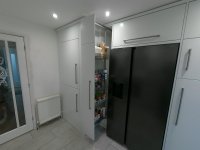
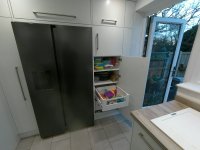
Hi all, I have made some progress on refining the proposed kitchen design and selecting hardware.
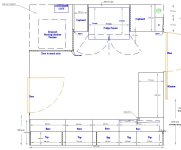
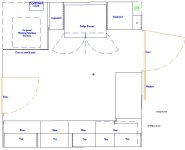
I finished all of the outline design in CAD then went on to use the outline dimensions in the Blum online Cabinet configurator. Some examples of the process are below:
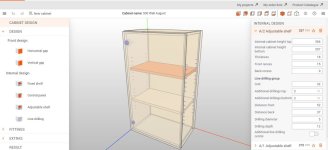
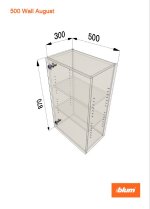
This is a simple 500 wide wall unit.
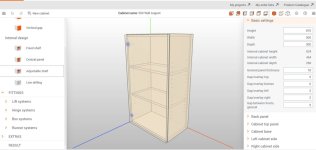
The basic cabinet design is set up using the right "Basic Settings" for height, width. rear panel set back etc.
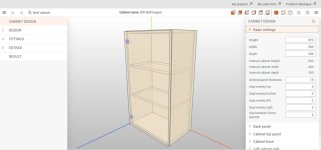
Once you have the basic cabinet design put together you switch to the left colum to add the design elements such as shelving, doors, hinges etc.
This cabinet just has a couple of adjustable shelves a door and a door wirh hinges.
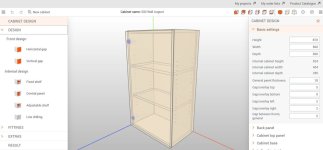
If you look on the left you can see below "Internal Design" the adjustable shelf tab and when you highlight this you can then drag over to the cabinet in the picture to add the shelves. The right bring up a menu for placing the exact shelf dimensions including adjusting any front cabinet set back, additional holes above and below etc.
I then moved onto the "Fittings" which is adding items of blum like hinges, lift systems or could be draws if you want to fit some.
For this cabinet I am fitting hinges on the left of the door.
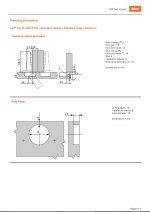
When you select the hinge section you are taken to a new view and go through a process of selecting the type of hinge, how far it will open the door the type of fixing for the hinge etc.
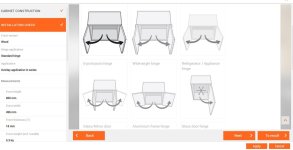
Some pictures of the new view showing just some of the selections you have for fixing the hinge and brackets.
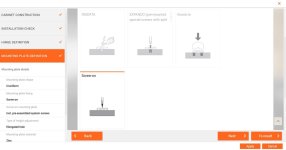
Next add any "Extras" such as fixing blocks, dowels for holding the cabinet together etc. I am using my own system of fixings etc so left out this section but it's worth looking at if you are set up to use it.
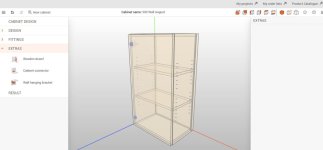
When I have finished building the cabinet and added all the fittings, shelves, doors etc I go to see the results .
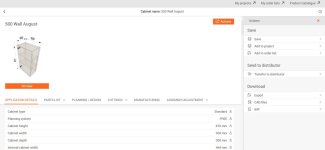
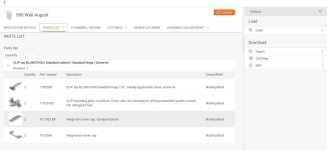
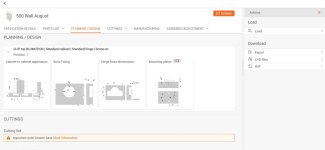
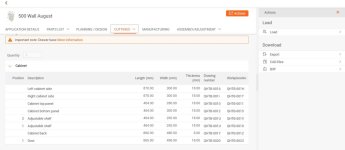
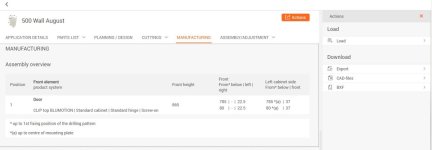
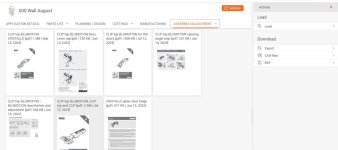
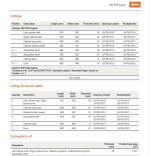
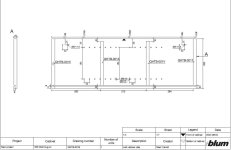
The results section gives a break down of all the parts required including Fittings, Cabinet size and component sizes with cutting lists which you can download in PDF format. You can also download the component sizes in a file format for use on a cnc.




 . Thank you for your comment.