Dr.Al
Old Oak
It would be interesting to see what the browser's development console has to say (not that it'll necessary help).
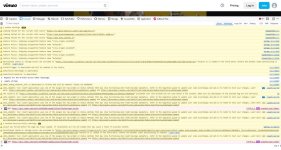
From the Firefox window with that Vimeo link loaded, press Ctrl-Shift-I or go to the menu and click "More tools" and then "Web Developer Tools". Go to the "Console" tab, then reload the browser tab and try playing the video. It'll probably look something like this:
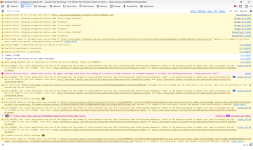
As you can see, there are a lot of warnings (mostly probably related to Firefox blocking trackers). If yours shows a lot of other red lines then it might give a clue.
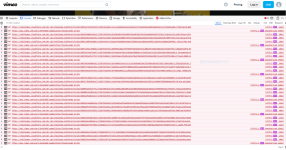
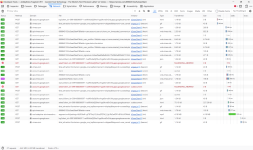
The network tab can also be quite interesting as it shows which things have failed to download:
From the Firefox window with that Vimeo link loaded, press Ctrl-Shift-I or go to the menu and click "More tools" and then "Web Developer Tools". Go to the "Console" tab, then reload the browser tab and try playing the video. It'll probably look something like this:
As you can see, there are a lot of warnings (mostly probably related to Firefox blocking trackers). If yours shows a lot of other red lines then it might give a clue.
The network tab can also be quite interesting as it shows which things have failed to download: